Project Overview#
In this project, I worked with code agents using codex.
The main focus was to understand how precise a prompt needs to be, and how to communicate clearly with an AI agent without confusing it.
I explored how AI can go from just answering questions to actually helping build and improve a project.
To make it practical, I worked on a case where I had to build a meditation quiz website.
The goal was to create a simple and calm experience where users can answer questions, continue even if they get something wrong, and come back later to continue.
Assistants vs Agents#
One of the things I learned is the difference between assistants and agents.
An assistant is mostly something you ask for help:
- it explains things
- helps with code
- gives suggestions
An agent (like Codex in this case) is more action-oriented:
- it can generate structured code
- follow instructions
- help solve tasks step by step
So basically:
- assistant = helps you
- agent = helps solve the task
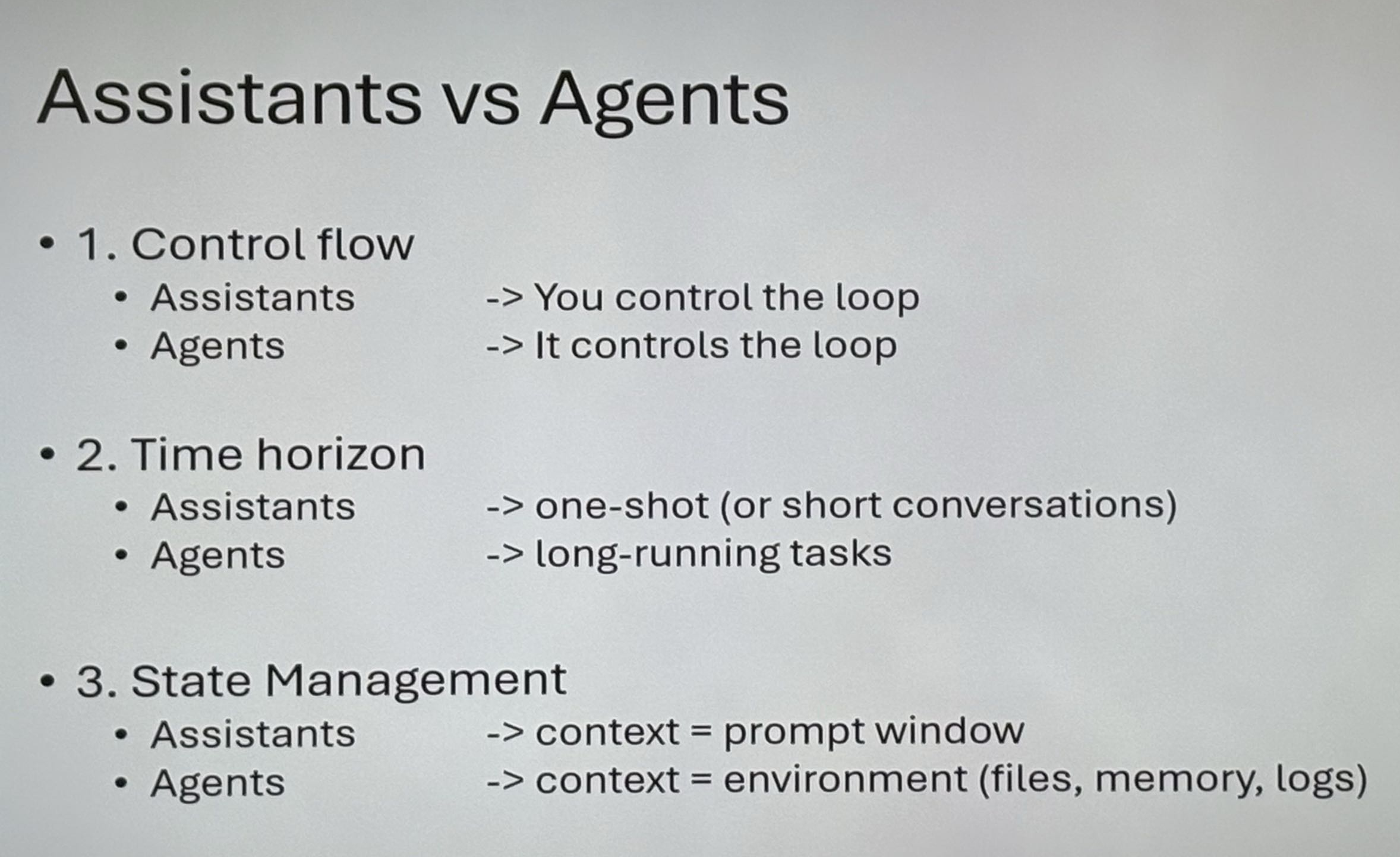
Comparison#
Here is a comparison between assistants and agents:
Types of Agents#
I also learned that there are different types of agents.
Horizontal Agents#
These are general-purpose agents that can do a bit of everything.
Like ChatGPT, which can help with coding, writing, debugging, etc.
Vertical Agents#
These are more specialized.
They are built to be really good at one specific thing.
That made me think about what is best:
- something that can do everything okay
- or something that is really good at one thing
The Case: Meditation Quiz App#
To connect the theory to something practical, I worked on a meditation quiz app.
The idea was:
- multiple choice questions
- you can continue even if your answer is wrong
- you can take the quiz again
- your progress should be saved
- you can choose to continue later or start over
So it’s not just a quiz it’s more about the user experience and flow.
How I Worked With It#
I used Codex as a code agent to help develop parts of the solution.
The main challenge was learning how to write good prompts.
I worked on:
- making prompts more specific
- structuring instructions clearly
- avoiding vague descriptions
- testing different prompt styles
I learned that:
- if the prompt is too vague → the result becomes unclear
- if the prompt is too complex → the agent can get confused
- the best prompts are clear, structured, and focused
I also learned that you have to be careful with what access you give the agent.
It can sometimes see more files than expected (like .gitignore and other project files).
Debugging#
One big thing I learned was how important debugging is when working with an AI agent.
If something doesn´t work:
- open DevTools (F12)
- check the console
- copy the error
- give the error to Codex
This made it much easier to fix problems quickly.
What I Learned#
- how to use codex as a code agent
- how important prompt precision is
- how unclear prompts can confuse an AI
- difference between assistants and agents
- horizontal vs vertical agents
- how AI can support development
- how to debug using AI and browser tools
Technologies and Concepts Used#
- Prompt engineering
- Quiz logic
- Local storage (saving progress)
- GitHub Pages
Reflection#
This project changed how I see AI.
Before, I mostly used it as a chatbot.
Now I see it more like a tool that depends a lot on how well I communicate with it.
The biggest takeaway was that the quality of the prompt controls the quality of the result.
The meditation quiz case also showed me that it’s not just about code”
it’s about making something that works well for the user and feels intuitive.
Live Demo#
GitHub Repository#
Screenshots#